How to Identify Phishing Links before Clicking?
Learn how to identify phishing links before clicking, detect suspicious URLs, avoid scams, check senders, hover links, and protect your data online.
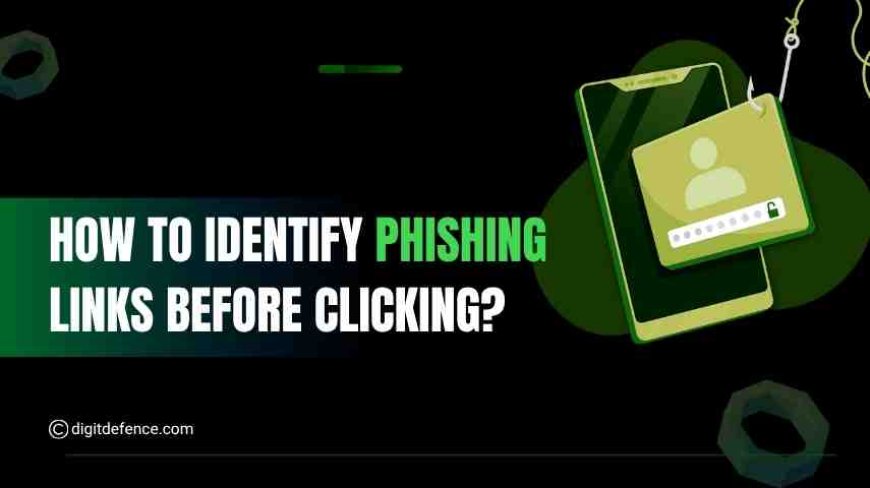
Every day, we receive dozens of emails, messages, and app notifications, some from friends and colleagues, others from businesses or unknown senders. Most links are harmless, but some are designed to trick you. One wrong click can give hackers access to your passwords, personal data, or even sensitive company information.
Phishing links are one of the most common tools cybercriminals use. They are carefully crafted to look genuine, often mimicking trusted companies or platforms. A click on a phishing link can lead to stolen credentials, malware infections, or financial loss.
Twitter Phishing Attack
In 2020, Twitter faced a large-scale phishing attack that targeted high-profile accounts, including CEOs and celebrities. Hackers sent messages containing links that appeared legitimate but led users to fake login pages. Anyone entering their credentials unknowingly handed over control of their accounts.
The attack spread quickly because the phishing links looked authentic, even to experienced users. The results were alarming, accounts were hijacked, messages were sent under false pretenses, and the breach caused confusion and financial loss.
What Is a Phishing Link?
A phishing link is a URL or web address created by hackers to trick users into giving personal information such as passwords, bank details, or credit card numbers. These links often appear in emails, text messages, social media posts, or fake websites.
Phishing links are dangerous because:
-
They can steal your login credentials.
-
They may install malware or spyware on your device.
-
They can lead to financial loss or identity theft.
Why Identifying Phishing Links Is Important
Phishing attacks can have serious consequences:
-
Financial Loss: Hackers can steal money directly from accounts or make fraudulent purchases.
-
Data Theft: Personal information like emails, passwords, and ID numbers can be stolen.
-
Business Risk: Businesses using third-party tools or ready-made solutions like clone scripts should be extra cautious, as phishing links can target admin panels, payment systems, or user data.
-
Identity Theft: Cybercriminals can use stolen information to impersonate victims.
By learning to identify phishing links, individuals and businesses can reduce the risk of cyberattacks significantly.
Types of Phishing You Should Know
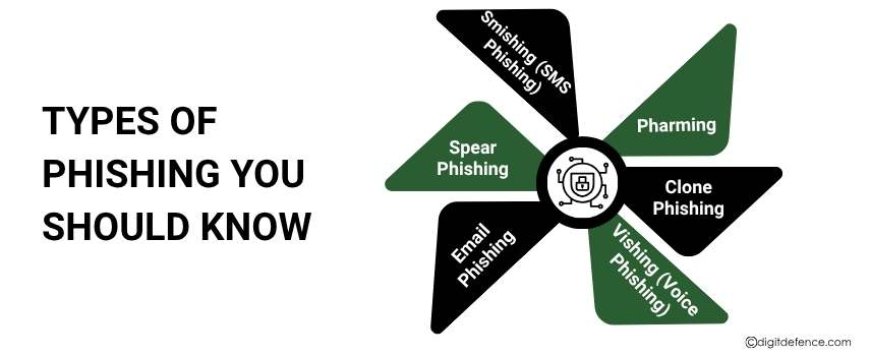
Phishing attacks come in different forms, and knowing the types can help you stay alert and avoid falling victim. Here are the most common types:
-
Email Phishing
The most common type, where hackers send emails that look legitimate. These emails often include links or attachments that lead to fake websites or malware downloads.
-
Spear Phishing
Targeted phishing aimed at a specific person or organization. Hackers gather personal information to make the email appear more convincing, increasing the chances that the victim will click the link.
-
Smishing (SMS Phishing)
Phishing through text messages. Hackers send messages with malicious links or requests for personal information, pretending to be banks, delivery services, or government agencies.
-
Vishing (Voice Phishing)
Phishing over phone calls. Attackers call victims pretending to be from a trusted organization, asking for sensitive information like passwords or credit card numbers.
-
Clone Phishing
Hackers take a legitimate email and create a nearly identical copy, replacing links or attachments with malicious ones. Recipients often trust the email because it looks familiar.
-
Pharming
Instead of tricking users into clicking a link, hackers redirect traffic from a legitimate website to a fake one without the user noticing. This can steal login credentials or personal information.
How to Identify Phishing Links Before Clicking
Here are some practical ways to spot suspicious links:
1. Check the URL Carefully
Always look closely at the web address. Phishing links often use slightly misspelled domain names, extra numbers, or unusual characters. For example:
-
Safe link: www.bankname.com
-
Phishing link: www.bankname-secure.com or www.bankname123.com
2. Hover Over Links Before Clicking
Hover your mouse over a link in emails or messages without clicking. Most browsers and email clients will show the actual URL. If it looks unusual or does not match the expected domain, do not click it.
3. Look for HTTPS and Padlock Symbol
Secure websites use HTTPS and display a padlock icon in the browser. While HTTPS alone doesn’t guarantee safety, a lack of HTTPS is a strong warning sign.
4. Avoid Shortened Links from Unknown Sources
Shortened URLs (like bit.ly or tinyurl) can hide the real destination. Use a URL expander tool to check where the link leads before clicking.
5. Beware of Urgent or Threatening Messages
Phishing emails often try to create panic or urgency, such as:
-
“Your account will be locked!”
-
“Verify your payment immediately!”
Take a moment to verify the source instead of clicking immediately.
6. Check Sender’s Email or Contact Info
Even if the message looks official, check the sender’s email carefully. Hackers often create addresses that look like legitimate companies but have subtle differences.
7. Use Security Software and Browser Extensions
Many antivirus and cybersecurity tools can detect phishing links automatically. Browser extensions like Web of Trust (WOT) can warn you about risky websites before clicking.
Tools and Tips to Stay Safe
-
PhishTank: Check suspicious links against a database of known phishing URLs.
-
Google Safe Browsing: Verify if a link is safe before visiting.
-
Anti-Phishing Features in Email Clients: Enable built-in phishing detection in Gmail, Outlook, or Yahoo Mail.
Best Practices for Everyone
-
Think Before You Click: Pause and analyze every link, especially from unknown sources.
-
Verify with the Source: Contact the company or person directly if a message seems suspicious.
-
Educate Employees and Family Members: Awareness is the first line of defense.
-
Use Multi-Factor Authentication (MFA): Even if credentials are compromised, MFA adds an extra layer of protection.
-
Report Suspicious Links: Notify IT teams, email providers, or platforms about phishing attempts.
Future of Phishing Detection with AI
Phishing attacks are becoming smarter, with hackers using advanced techniques to make emails and websites look real. AI (Artificial Intelligence) is now being used to fight these attacks and make phishing detection faster and more accurate.
Here’s how AI helps:
-
AI-Powered Link Analysis: AI can automatically check links in emails and messages to see if they are suspicious or lead to dangerous websites.
-
Behavioral Monitoring: AI can watch for unusual activity, like unexpected logins or large data transfers, which may indicate a phishing attack.
-
Automated Threat Blocking: AI can block phishing websites or emails in real time, stopping attacks before they reach users.
-
Predictive Detection: By learning from past phishing attempts, AI can predict new types of attacks and warn users in advance.
Using AI in phishing detection helps individuals and businesses stay one step ahead of hackers and protects sensitive information more effectively.
Phishing links are one of the easiest ways for hackers to access personal, financial, or business information. By learning to spot suspicious URLs, checking senders, using security tools, and practicing safe browsing habits, you can protect yourself and your business from cyber threats.
Remember, even small precautions, like hovering over a link or verifying the sender, can save you from major data loss.
For expert guidance on protecting your data and identifying phishing attempts, contact [email protected]. Stay aware, stay safe.