Top Cyber Security Tools for Online Safety
Are you safe online? Discover the best cyber security tools to protect your data, block hackers, and stay secure in a digital world!
With businesses and individuals depending heavily on the Internet for work, banking, shopping, and social interactions, online safety has never been more important. Whether you are a startup, a large corporation, or an individual user, protecting your data, identity, and network is a top priority. As a cybersecurity specialist, I have seen how cyber threats have changed over time, becoming more advanced and widespread. From data breaches to ransomware attacks, no business or individual is safe unless they take proper precautions. Cybercriminals continuously find new ways to exploit security vulnerabilities, making it essential to use Cyber Security Tools to stay protected.
The right Cyber Security Tools can help you defend against hacking attempts, phishing attacks, and malware infections that can compromise personal or business-sensitive information. Here, I will break down the best Cyber Security Tools that can help safeguard your digital presence. I will also provide real-world case studies of how companies have successfully prevented cyberattacks using these tools.
What Are Cyber Security Tools?
Cyber Security Tools are software applications, technologies, and strategies designed to protect digital systems, networks, and data from cyber threats such as hacking, malware, ransomware, phishing, and unauthorized access. These tools help individuals and businesses strengthen their security posture, preventing cyberattacks and ensuring the confidentiality, integrity, and availability of data.
Why Cyber Security Tools Are Essential for Online Safety
Cybercriminals use hacking techniques, phishing scams, and malware attacks to steal sensitive data and disrupt businesses. Cyber Security Tools help prevent these threats by adding multiple layers of protection.
Key Benefits of Using Cyber Security Tools

-
Protection from Malware and Hackers – Prevents unauthorized access, virus infections, and malicious attacks.
-
Data Encryption and Privacy – Ensures sensitive information remains secure and unreadable to unauthorized users.
-
Financial Security – Reduces the risk of financial fraud, identity theft, and data breaches.
-
Regulatory Compliance – Helps businesses meet cybersecurity regulations like GDPR, HIPAA, and PCI DSS.
-
Business Continuity – Ensures that an organization can continue its operations securely without disruptions.
-
Peace of Mind – Keeps individuals and businesses safe from evolving cyber threats.
The Rising Cybersecurity Threats
According to a 2024 cybersecurity report, over 30,000 websites are hacked daily, and phishing attacks account for more than 90% of all cyber breaches. Businesses and individuals must take proactive measures to secure their digital assets before becoming a victim of cybercrime.
Top Cyber Security Tools for Online Safety
1. Antivirus Software – First Line of Defense
Antivirus software detects and removes malware, viruses, and trojans before they can damage your system.
Top Antivirus Software Brands:
-
Norton 360 – Real-time protection with a built-in VPN.
-
McAfee Total Protection – Strong malware detection and identity theft protection.
-
Bitdefender Antivirus Plus – Advanced threat detection and anti-phishing protection.
Why It’s Important?
-
Provides real-time scanning to detect threats before they cause harm.
-
Offers automatic updates to counter new malware threats.
-
Helps prevent ransomware attacks by blocking suspicious activity.
2. Virtual Private Network (VPN) – Secure Your Online Activity
A VPN encrypts your internet connection, making it difficult for hackers to intercept your data.
Best VPN Providers:
-
ExpressVPN – High-speed servers and military-grade encryption.
-
NordVPN – Double encryption for enhanced security.
-
Surfshark – Affordable VPN with unlimited device connections.
Why Do You Need a VPN?
-
Encrypts your browsing data to protect against cyberattacks.
-
Ensures safe public Wi-Fi usage without exposing sensitive information.
-
Helps bypass geo-restricted content while maintaining privacy.
3. Password Managers – Stronger Password Security
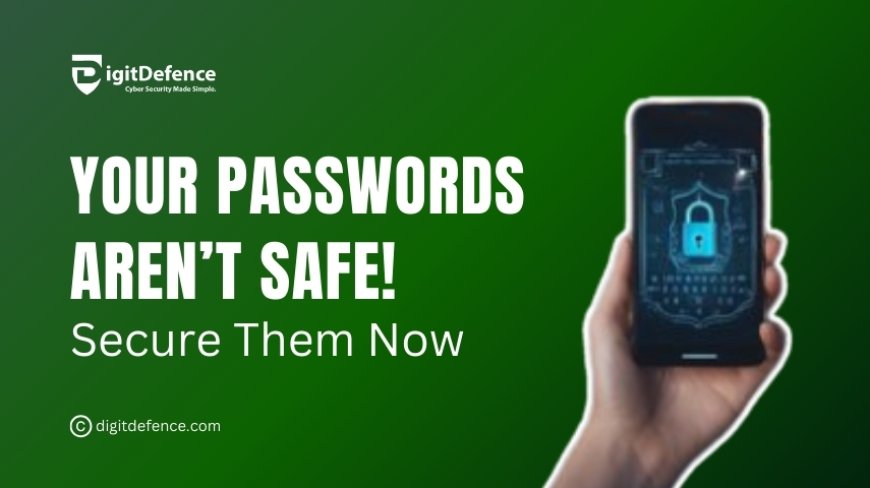
Weak passwords make it easy for hackers to gain access to your accounts. Password managers generate, store, and autofill strong, unique passwords securely.
Top Password Manager Tools:
-
LastPass – Stores encrypted passwords and auto-fills logins.
-
Dashlane – Secure vault with breach alerts.
-
1Password – Advanced encryption with multi-device sync.
Why It’s Important?
-
Eliminates the need for weak, repetitive passwords.
-
Prevents credential-stuffing attacks by storing unique passwords.
-
Provides secure access to passwords across all devices.
4. Multi-Factor Authentication (MFA) – Extra Layer of Security
MFA requires users to provide multiple forms of authentication before accessing an account.
Best MFA Tools:
-
Google Authenticator – Generates time-based security codes.
-
Authy – Secure and easy-to-use multi-device authentication.
-
Microsoft Authenticator – Best for Windows and Office 365 users.
Why It’s Important?
-
Reduces the risk of account takeovers.
-
Prevents unauthorized logins, even if passwords are leaked.
-
Adds an extra security layer beyond standard passwords.
5. Firewalls – Block Unauthorized Access
A firewall serves as a barrier between your network and cyber threats, preventing malicious intrusions.
Best Firewall Solutions:
-
Cisco ASA Firewall – Enterprise-level security for businesses.
-
GlassWire – Monitors network activity and detects intrusions.
-
ZoneAlarm Firewall – Two-way firewall with anti-phishing protection.
Why It’s Important?
-
Blocks unauthorized access attempts to your network.
-
Helps prevent DDoS attacks that can bring down a website.
-
Provides network visibility and control over incoming/outgoing traffic.
Case Studies
Case Study1:
Tesla, a leading electric vehicle manufacturer, faced a cyberattack attempt where hackers tried to infiltrate their internal network through an employee's laptop.
Implementation:
-
Tesla deployed NordVPN to encrypt all employee network activity.
-
Introduced multi-factor authentication (MFA) for remote logins.
-
Strengthened firewall security to block unauthorized access.
Outcome:
-
Prevented unauthorized access to Tesla’s confidential data.
-
Secured remote workforce, reducing vulnerability to cyber threats.
-
Enhanced cybersecurity compliance and strengthened digital infrastructure.
Case Study2:
Honda, a global automotive company, faced a ransomware attack that threatened to encrypt all corporate files and demand a ransom payment.
Implementation:
-
Honda deployed Bitdefender Anti-Ransomware to monitor suspicious activity.
-
Activated real-time threat detection to identify ransomware behavior.
-
Regular data backups were stored securely on cloud servers.
Outcome:
-
Stopped the ransomware before it could encrypt critical files.
-
No data loss or financial damage was incurred.
-
Improved cybersecurity resilience across Honda’s global network.
Cyber threats are changing every day, and the only way to stay ahead is to be proactive. By integrating Cyber Security Tools into your daily routine, you reduce the risk of cyberattacks, protect your sensitive information, and ensure your digital safety. Don’t wait for a cyberattack to happen take control of your security today!