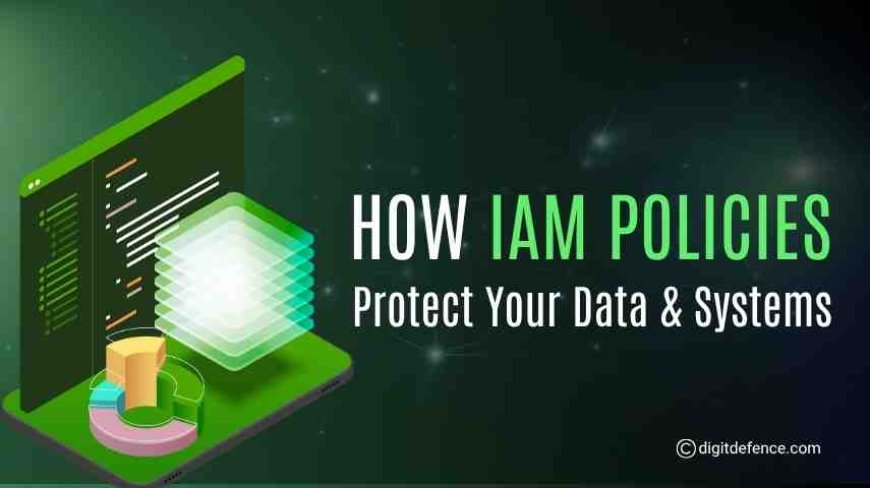
How IAM Policies Protect Your Data & Systems
Secure your business with IAM policies that manage access, safeguard sensitive data, prevent breaches, and support compliance with security standards.
Do you know who can access your company’s most important data?
Today, employees, partners, and contractors log in to apps, databases, and cloud systems every day. Without proper control, even a small mistake can lead to data theft, financial loss, or legal problems.
This is where IAM policies help. They set clear rules about who can see what, when, and under what conditions. With the right IAM policies, businesses can keep data safe, reduce risks, and make work easier for everyone.
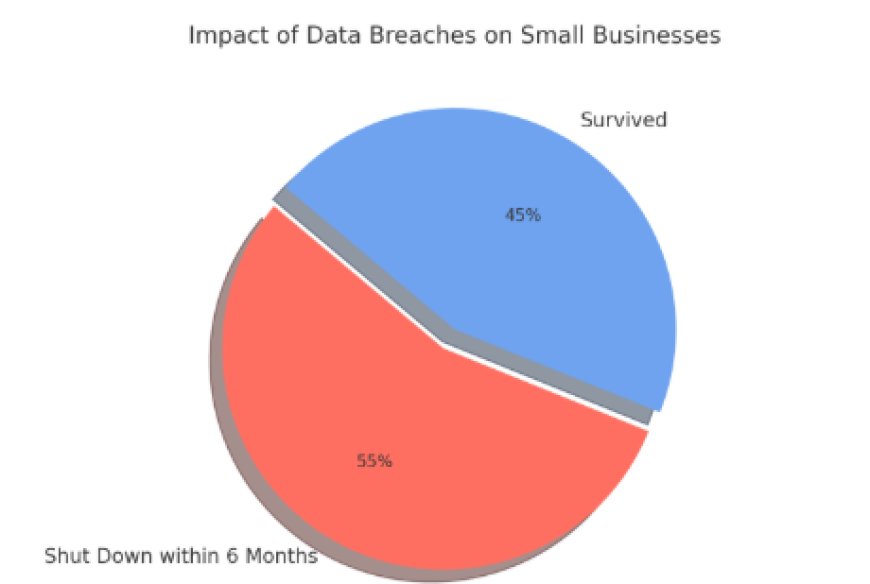
In fact, research shows that more than half of small businesses shut down within six months after a serious data breach, which shows just how important it is to keep sensitive information safe.
Dropbox, a leading global cloud storage company, manages millions of users and sensitive files every day. With so many people accessing their systems, keeping data secure is a major challenge.
Employees, contractors, and partners all require access to different systems. Without proper controls, there is a risk that someone could access files they shouldn’t.
To address this, Dropbox implemented role-based IAM policies, ensuring that employees can only access the information necessary for their role. For example, finance staff can view billing records, IT administrators can manage system settings, and no one has unnecessary access beyond their responsibilities.
What Are IAM Policies?
IAM policies are rules and configurations applied to user accounts, groups, and systems that control access to resources. These policies specify:
-
Who can access a particular system or data set
-
What operations are they allowed to perform (read, write, delete)
-
Under what conditions is access granted (time, location, device)
In simple terms, Security Access Policies ensure that the right people have the right access at the right time, reducing the risk of unauthorized access or data leaks.
Key Types of IAM Policies
1. Role-Based Access Control (RBAC)
RBAC assigns permissions based on a user’s role within the organization. For example:
-
HR personnel can access employee records
-
Finance staff can access payroll and accounting systems
-
IT administrators can manage infrastructure
RBAC ensures users only access what’s necessary for their job, following the principle of least privilege.
2. Attribute-Based Access Control (ABAC)
ABAC policies consider additional factors such as department, location, time of access, or device type. For instance, an employee may access sensitive files only from company devices and during working hours. ABAC adds context-aware security, reducing the risk of unauthorized access from unusual situations.
3. Privileged Access Policies
Privileged accounts (like system admins) have elevated access and are prime targets for attackers. Security Access Policies for privileged users include:
-
Temporary access for specific tasks
-
Continuous monitoring and logging
These policies reduce the likelihood of insider threats or misuse of high-level accounts.
4. Password and Authentication Policies
IAM policies enforce strong authentication rules, such as:
-
Minimum password complexity and expiration
-
Mandatory MFA for sensitive systems
-
Account lockouts after repeated failed login attempts
Strong authentication policies are a fundamental line of defense against credential-based attacks.
How IAM Policies Protect Your Data and Systems
1. Prevent Unauthorized Access
By strictly defining who can access what, Security Access Policies ensure that sensitive data, applications, and systems remain off-limits to unauthorized users. This prevents accidental or intentional breaches.
2. Minimize Insider Threats
Employees who are unhappy or make mistakes can accidentally cause data breaches. IAM policies control who can access what, limit risky actions, and keep clear logs of all user activity.
3. Ensure Compliance
Regulations like GDPR, HIPAA, and PCI-DSS require strict control over access to sensitive data. Security Access Policies provide audit trails and automated compliance reporting, helping organizations meet regulatory standards efficiently.
4. Enhance Operational Efficiency
Security Access Policies automatically set up new user accounts, remove access when employees leave, and update permissions when roles change. This avoids mistakes, gives employees the right access quickly, and stops unused accounts from being a security risk.
5. Improve Security Across Remote and Hybrid Workforces
With employees accessing systems from multiple devices and locations, Security Access Policies ensure that access is secure and conditional. Policies can enforce MFA, device checks, or geolocation restrictions to maintain security in distributed environments.
Benefits of Strong IAM Policies for Businesses
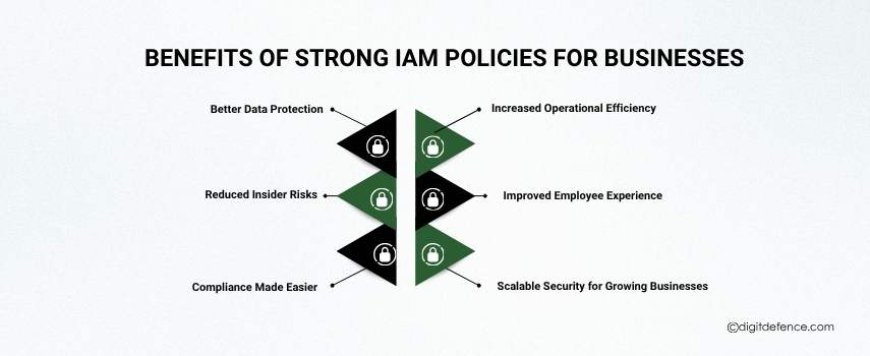
Implementing strong IAM policies brings multiple advantages for businesses, from improving security to boosting efficiency. Here are the key benefits:
1. Better Data Protection
Strong IAM policies ensure that only authorized users can access sensitive data, reducing the risk of data breaches, leaks, or unauthorized changes.
2. Reduced Insider Risks
By controlling access based on roles and responsibilities, Security Access Policies limit what employees can do, lowering the chances of accidental or intentional misuse.
3. Compliance Made Easier
Many industries require strict rules for protecting data, like GDPR, HIPAA, or PCI-DSS. Security Access Policies help businesses stay compliant by tracking access, logging activities, and generating reports for audits.
4. Increased Operational Efficiency
Security Access Policies automate account setup, role changes, and access removal, saving IT teams time and preventing errors that could compromise security.
5. Improved Employee Experience
With proper Security Access Policies, employees get the right access quickly, can use Single Sign-On (SSO), and don’t waste time requesting permissions for routine tasks.
6. Scalable Security for Growing Businesses
As businesses expand, Security Access Policies make it easier to manage more users, applications, and systems securely, without increasing risk or manual workload.
Best Practices for Implementing IAM Policies
Implementing IAM policies effectively is key to protecting your data and systems. Following these best practices can help businesses get the most out of their IAM tools:
1. Follow the Principle of Least Privilege
Give employees only the access they need to do their jobs. Limiting access reduces the risk of accidental or intentional misuse.
2. Regularly Review and Update Policies
As employees change roles or leave the company, update access rights and permissions. Regular reviews help prevent security gaps and orphaned accounts.
3. Use Multi-Factor Authentication (MFA)
Require MFA for all sensitive accounts and systems. Adding an extra layer of verification protects against stolen passwords and unauthorized logins.
4. Automate User Provisioning and De-Provisioning
Automate account creation, role changes, and account removal when employees leave. This saves time, reduces errors, and prevents unauthorized access.
5. Monitor and Audit User Activity
Track logins, access requests, and system activity to detect suspicious behavior and maintain a clear audit trail for compliance.
6. Educate Employees
Train staff on secure access practices, the importance of IAM policies, and how to recognize threats like phishing or social engineering.
Strong IAM policies are essential for keeping your business data safe. They control who can access what, add extra security steps, track user activity, and make sure accounts are up to date.
With IAM policies, businesses can prevent data breaches, avoid mistakes, follow rules, and give employees the access they need quickly.
In short, IAM policies are not just rules , they are a smart way to protect your business, build trust, and stay safe while growing.