Password Security Best Practices for Website Protection
Explore top password security and website protection practices to safeguard your online presence. Learn essential tips for robust digital security.

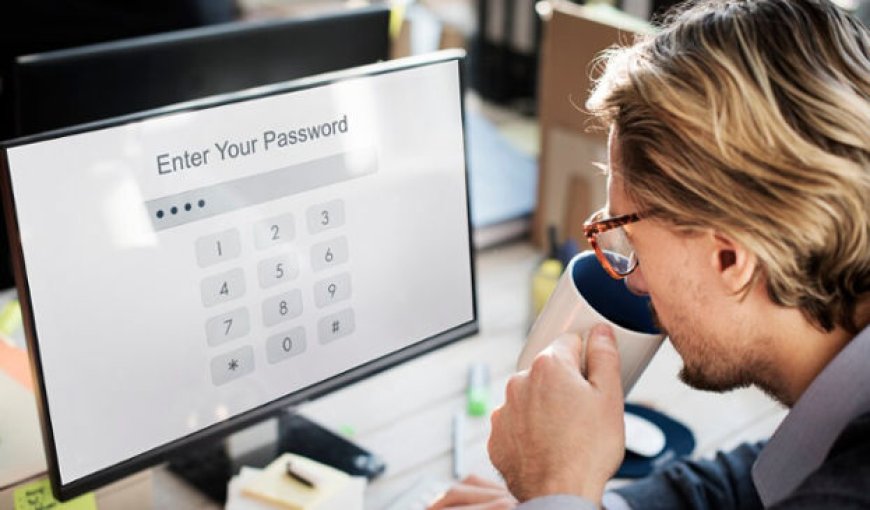
Hey, let's talk about keeping your online stuff safe and sound. Right now, making sure your passwords are top-notch is crucial. A lot of people still use easy-to-guess passwords like "123456" or "password." Not the smartest move.
Now, let's chat about some common slip-ups. Using the same password for everything? That's a big no-no. If a hacker cracks one, they've got the keys to your whole digital world.
Reusing passwords isn't the only problem. Using personal info like birthdays or pet names makes it super easy for cyber troublemakers to guess your password. Mix it up a bit! Lastly, do not change your password regularly. It's like leaving your front door unlocked forever. Regularly switch things up to throw off any potential digital intruders.
Evolving Threat Landscape
Advanced Techniques by Cybercriminals
Today, cybercriminals are getting smarter, and using more sophisticated methods to breach security. It's like a game of cat and mouse where they keep finding new ways to exploit vulnerabilities.
Rise of Phishing and Social Engineering
Be cautious about phishing attacks, they're on the rise! Cybercriminals often trick people into revealing sensitive information through fake emails or messages. Stay alert and double-check before clicking on any suspicious links.
Human Factors in Security
User Behavior and Password Security
Believe it or not, your actions play a big role in keeping your information safe. Simple things like not sharing passwords and being cautious online make a huge difference.
Challenges in Creating Strong Passwords
Creating strong, unique passwords can be a bit tricky. It's important to use a combination of letters, numbers, and symbols. But don't worry, it's not impossible. There are tools and strategies to help you manage and remember them securely.
What Constitutes a Strong Password? And How to Encourage Secure Password Practices?
Best Practices for Creating Strong Passwords
Tips for crafting strong, memorable passwords:
Mix it Up:
Combine uppercase and lowercase letters, numbers, and symbols.
Use a mix of characters to make it harder to guess.
Length Matters:
Aim for a password that's at least 12 characters long.
Longer passwords are generally more secure.
Avoid Predictable Sequences:
Steer clear of using common patterns or sequences (e.g., "123456" or "password").
Personal Touch:
Create a password that is unique to you but not easily guessable.
Consider using initials, significant dates, or memorable phrases.
Use Passphrases:
Think of a sentence or phrase and turn it into a password.
Mix it up with numbers and symbols.
The importance of avoiding common words and personal information:
Say No to Common Words:
Avoid using easily guessable words like "password," "admin," or your name.
Common words are the first targets for hackers.
Steer Clear of Personal Info:
Don't use easily accessible personal information like your birthday, address, or phone number.
Hackers may exploit this info to crack your password.
Update Regularly:
Change your passwords periodically, at least every few months.
Regular updates help keep your accounts more secure.
Unique for Each Account:
Don't reuse passwords across multiple accounts.
If one password is compromised, others remain safe.
Implementing Multi-Factor Authentication (MFA)
Understanding Multi-Factor Authentication (MFA) and Why It's Important:
Multi-factor authentication (MFA) is like having extra layers of protection for your online accounts, making it harder for unauthorized users to access your information. Instead of just relying on a password, MFA adds extra steps to verify your identity.
Imagine if unlocking your front door required both a key and a fingerprint scan. MFA works similarly by combining at least two different types of identification methods, like a password and a unique code sent to your phone. This makes it much more challenging for cyber bad guys to get access.
b. Tips for Adding MFA to Websites:
Choose the Right MFA Methods:
Pick methods that suit your users. Common options include text messages, mobile apps, or email verification.
Avoid relying on a single method. Combine options for stronger security.
Educate Your Users:
Let your users know why MFA is important. Explain that it adds an extra layer of defense against unauthorized access.
Provide simple, step-by-step instructions on how to set up and use MFA.
Make It User-Friendly:
Opt for user-friendly MFA solutions that don’t complicate the login process.
Ensure that the setup and authentication steps are clear and easy to follow.
Prioritize Security Questions:
Use security questions as an additional layer. However, make sure they are unique and not easily guessable.
Regularly Update and Test:
Keep MFA methods up to date. Regularly review and update security measures.
Conduct regular tests to ensure that MFA is working effectively without causing inconvenience to users.
Provide Backup Options:
Offer alternative authentication methods for situations where the primary method might not be available.
Password Managers: A Convenient Solution
What are Password Managers?
Do you know how remembering all your passwords can be a real headache? Well, that's where password managers come to the rescue! Think of them as your vaults that keep all your passwords safe and sound.
Why Should You Use Password Managers?
Convenience: No more struggling to remember numerous passwords. One master password is all you need.
Enhanced Security: Password managers generate complex, unique passwords for each of your accounts, making it tough for hackers to crack.
Protection Against Phishing: They help you avoid falling victim to phishing attacks by only filling in your login details on legitimate websites.
Encrypted Storage: Your passwords are encrypted and stored securely, meaning even if there's a data breach, your information remains safe.
Seamless Logins: Quickly log in to your accounts without typing in passwords manually. It's a time-saver!
Cross-Platform Accessibility: Access your passwords from various devices securely. No need to worry about forgetting a password when you're on the go.
How to Get Started:
Choose a Reliable Password Manager: There are many out there like LastPass, Dashlane, or 1Password. Pick one that suits your needs.
Create a Master Password: This is the key to your password manager, so make it strong and memorable.
Import Your Existing Passwords: Most managers allow you to import your existing passwords for a smooth transition.
Explore Additional Features: Many password managers offer extras like secure note storage, two-factor authentication, and password auditing.
Educating Users on Cyber Hygiene
Easy-to-Understand Security Education:
Here are some friendly tips:
Simple Guides: We've put together easy guides on how to stay safe online. No jargon, just simple steps to keep your digital front door locked.
Interactive Learning: Ever played a game? Our security lessons are like that. Fun and interactive. Learn by doing, not by reading a textbook.
Real-Life Examples: We use real-life examples you can relate to. Cyber security isn't just for tech whizzes. It's for everyone.
Being Smart About Passwords:
Here's what you need to know:
Mix It Up: Use a mix of letters, numbers, and symbols. It's like having a strong, unbreakable lock.
Change is Good: Change your password regularly. Think of it like getting a new key for your house now and then.
Unique for You: Each account gets its key. Don't use the same password everywhere. If one key is lost, the others stay safe.
No Sharing: Just like you wouldn't give your house key to a stranger, don't share your password. It's your key to your stuff.
Remember, cyber security is for everyone. By following these simple steps, you're taking control of your online safety. Lock that digital door, and keep your keys safe!
Summing up, protecting your website requires a group effort. Recap: use strong passwords, update software, and add reliable security. It's a team game, so work with your web host, employ a web application firewall, and stay vigilant. Cybersecurity is a joint effort, with each role crucial. Stay alert, communicate, and stay ahead of threats. It's not just your site; it's everyone defending against cyber risks. Together, we secure our digital spaces and keep the online world safe.